MedBoox is clinic software for doctors, therapists and their secretaries in Lebanon: a Today screen, a calendar, patient files and WhatsApp reminders. The same workspace on your phone and your computer.
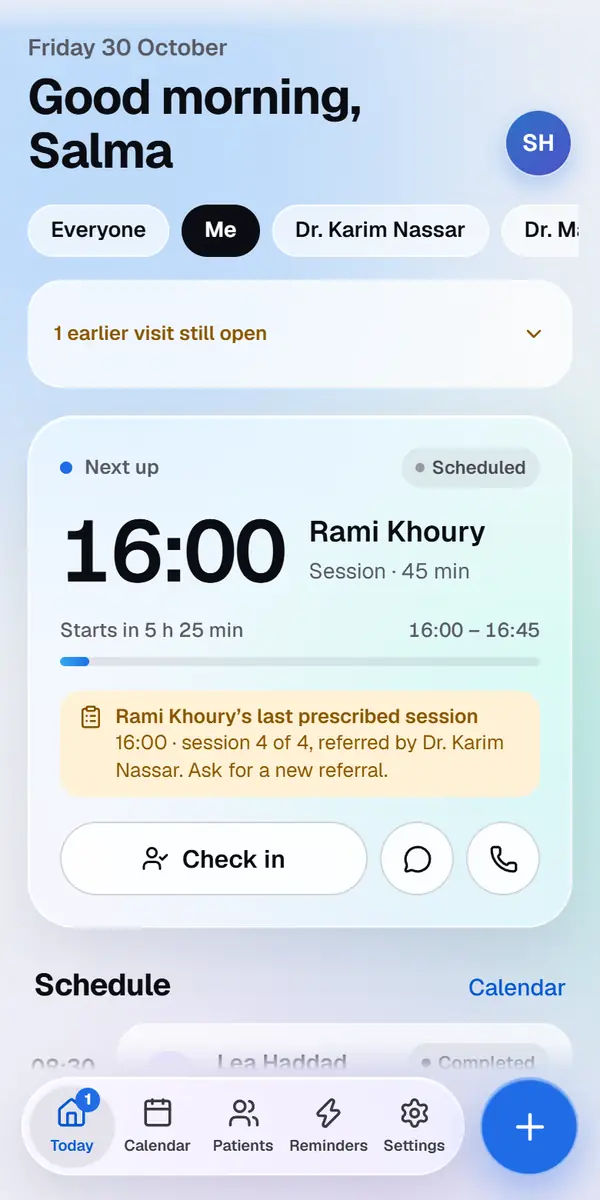
The real Today screen, in a demo practice. The names are made up.
Today
Your day,
at a glance.
Open MedBoox in the morning and see your next patient, how many have confirmed, and every appointment of the day with a marker for the current time.
Next appointment with a countdown, check-in, WhatsApp and call
A ring that shows the share of patients who confirmed
Reminders sent today, and any that failed, with the reason
Calendar and booking
Book while they’re on the line.
Never double-book.
A demo practice. The names and amounts are made up.
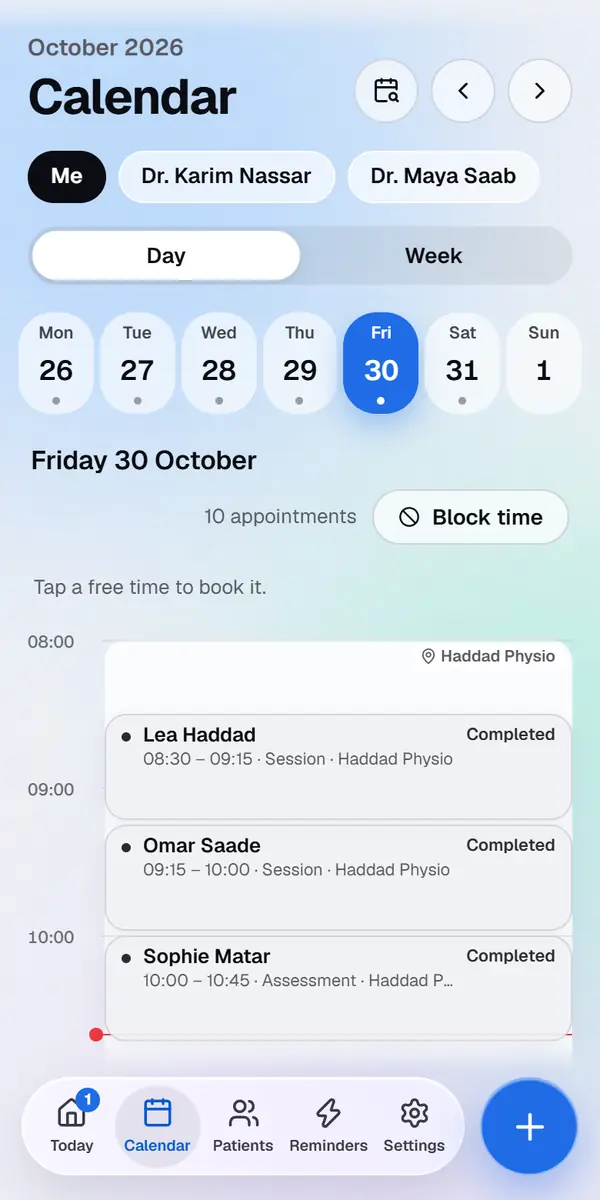
Choose the patient, pick a free time, add the details. Times that are taken, outside your working hours or on your days off and breaks are blocked. A patient who agreed to messages gets a WhatsApp confirmation, held until your sending hours if you book at night.
Day view with time blocks coloured by status, and a week view for planning
Your own visit types, each with its length and fee
Visits from 15 minutes to 2 hours within your own working hours
Days off and breaks, so nobody is booked while you are away
WhatsApp automations
Reminders that
send themselves.
A demo practice. The names and amounts are made up.
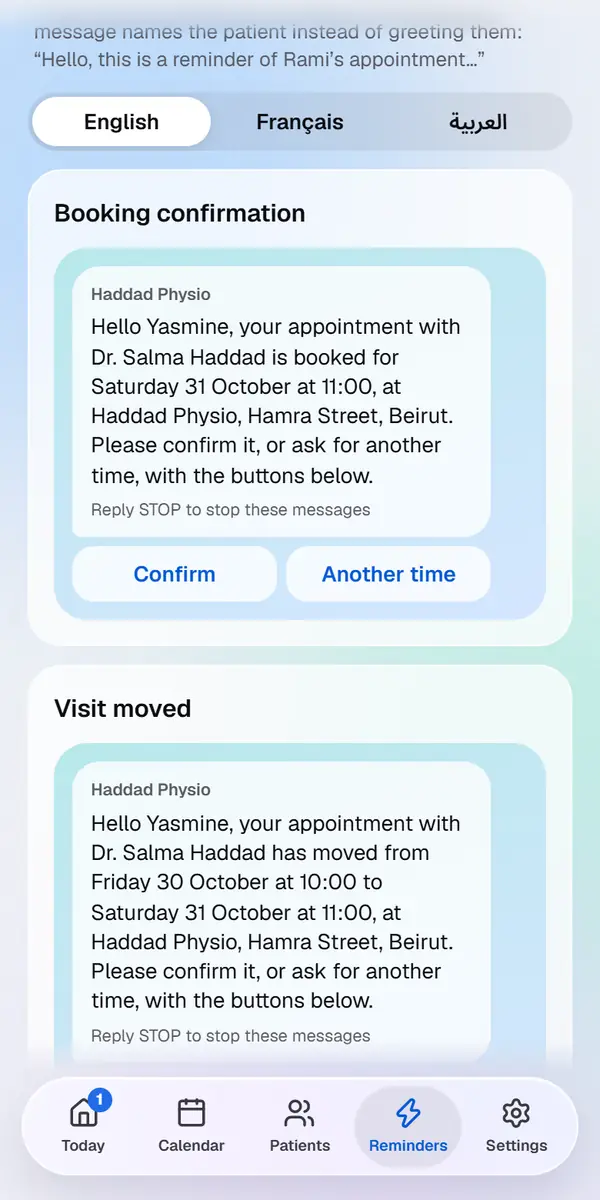
Seven messages cover the whole visit, and check-up reminders bring patients back. Switch each one on or off and choose when it goes out. The wording is written for you in English, French and Arabic, and sent from the MedBoox WhatsApp number on behalf of your practice.
Booking confirmation when you book
Reminder 48, 24 or 12 hours before, and a same-day reminder 1 or 2 hours before
Follow-up 1 or 3 days after a visit, and a re-book message after a missed one
A cancellation message when you cancel, with a button to book a new time
A delivery log with sent, delivered, read, replied and failed, and a retry button
A sending window for reminders, so nobody gets one in the middle of the night
Reminders hold on a day off, until you move or cancel the visit
Patient files
One file
per patient.
A demo practice. The names and amounts are made up.
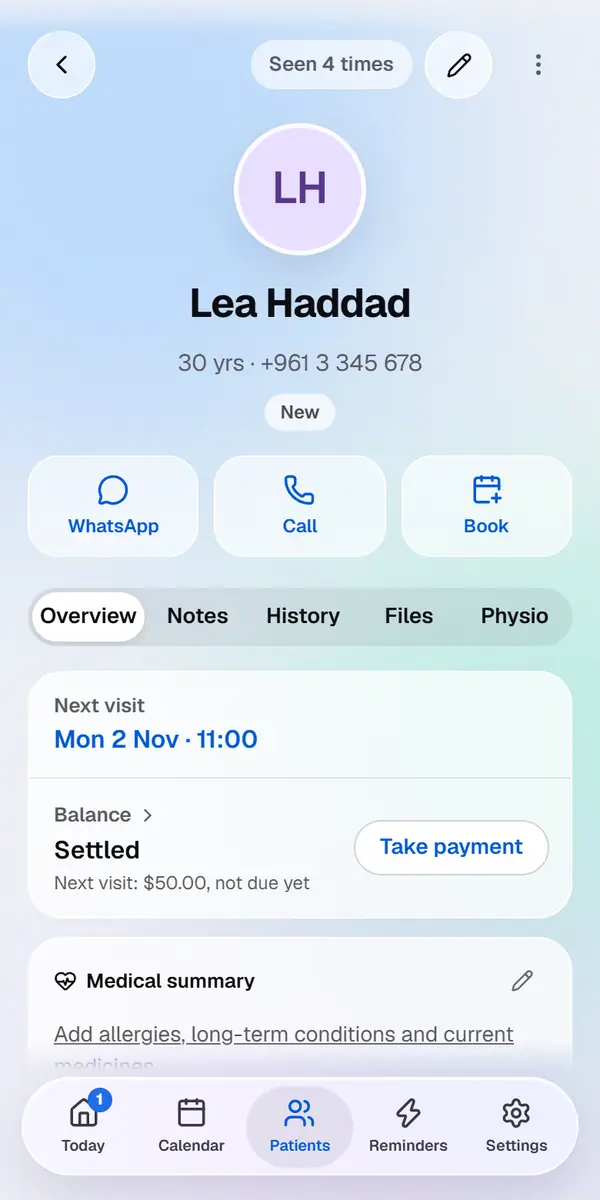
Every patient has a file with their WhatsApp number, date of birth, tags, visit history, session notes, attachments and balance.
Search by name or phone, filter by VIP, new, insurance or balance due
Import your existing patient list from an Excel or CSV file
Notes stored encrypted
A fee per visit, and payments in US dollars or Lebanese pounds
Reports, scans and images attached privately to the file
Archive patients you no longer see, and bring them back at any time
Notes and prescriptions
Your notes,
in your own words.
Notes and prescriptions stay with the doctor who wrote them. Start from your own templates and phrases, and prescribe from your own list of medicines.
Templates and phrases you write once and use again
Your medicines suggested as you type, with how you last wrote to take them
A warning when a medicine may clash with a recorded allergy. It knows common medicines only, so it never replaces your own check
Before the visit
The form is filled
before they arrive.
With the booking confirmation, a patient gets a link on WhatsApp to a short form, with no app and no sign-in. You read the answers and tick what to add to the file.
Sent to new patients, or before every visit
Standard questions and your own: words, yes or no, or a choice
Answers stored encrypted, read only by the visit’s doctor
Your secretary
The front desk,
not the file.
Your secretary gets their own sign-in, included in your licence, free. We add the account for you.
Calendar and booking, contact details, payments and the WhatsApp log
Never notes, prescriptions or files
Money
Fees, payments
and what’s owed.
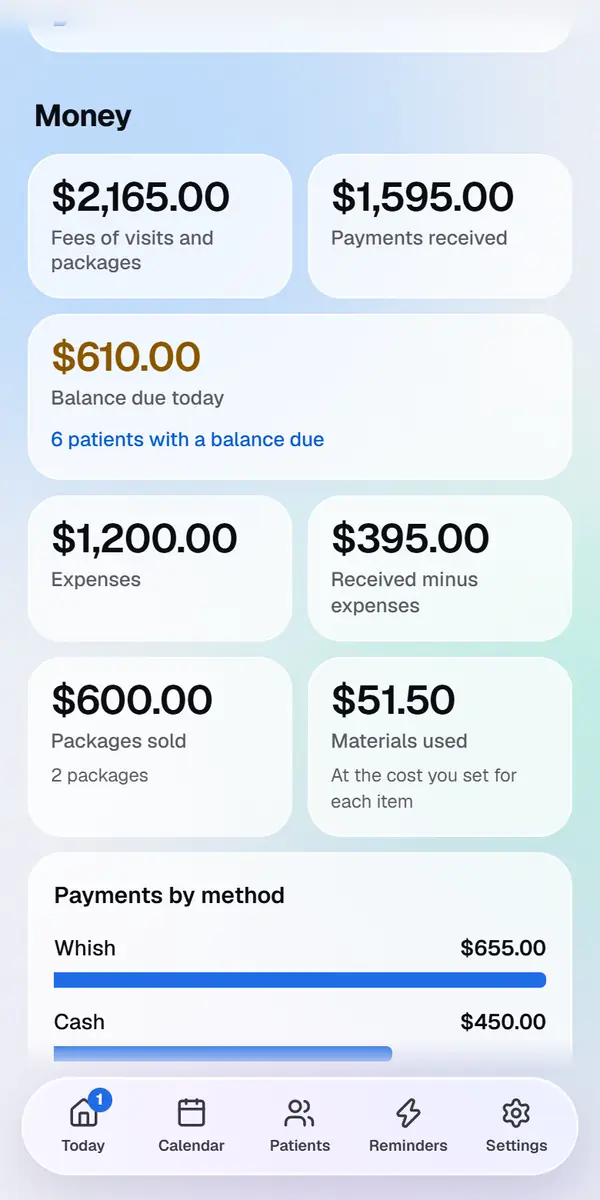
A demo practice. The names and amounts are made up.
Record each payment as it happens, in US dollars or Lebanese pounds, and see what came in and what is still owed. MedBoox records payments: it doesn’t take them.
Cash, card, transfer, Whish or OMT, each with its receipt number
Packages of sessions and treatment plans
Refunds that stay in the books
Reports for the month, and a statement for your accountant
Stock of what you use, with a low-stock warning
Your patients’ own account
Patients can see
their own visits.
A patient who wants to can create a MedBoox account, in their browser. Nobody has to: reminders reach them without one.
Their visits, their payments and what you choose to share
One account for the whole family
Ask for a visit, or cancel within your notice
A medical profile you see only if they agree
Appointment status
Seven statuses.
Some send messages for you.
01
Scheduled
Booked, waiting for the patient to confirm
02
Confirmed
The patient tapped Confirm on WhatsApp, or you marked it
03
Checked in
Checked in at the practice
04
Seen
The visit is done, and a follow-up is queued if you use one
05
No-show
Marked on the day, within your sending hours, it sends a re-book message if that message is on and the patient agreed
06
Cancelled
The time is released, and a cancellation message goes out if you use one
07
Moved
Moved to a new time, and a patient who agreed to messages is told
Made for your specialty
One workspace.
Many practices.
See how MedBoox fits the way your specialty works. Physiotherapists also get exercise programmes, progress charts and a referral counter.